โ† NIX

Easy guide

Follow the pictures. Press what has a red ring.

  1. Get Tampermonkey

    Get Tampermonkey

    Add it to your browser.

  2. Get NIX

    Install NIX

    Press Install.

  3. Open the game

    Press F5

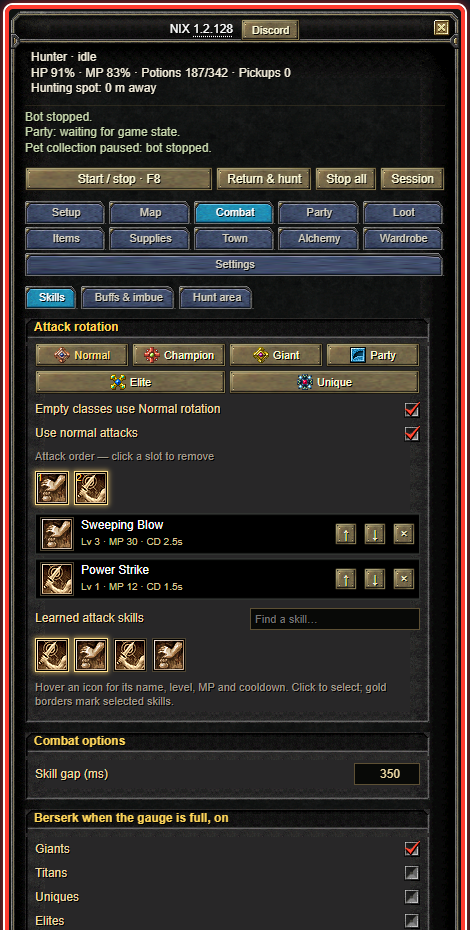
  4. NIX is here

    The NIX window, with a red ring around all of it. It is at the top right of the game.

    Top right of the game.

  5. Pick your spot

    Walk to the monsters. Then press 1 2 3
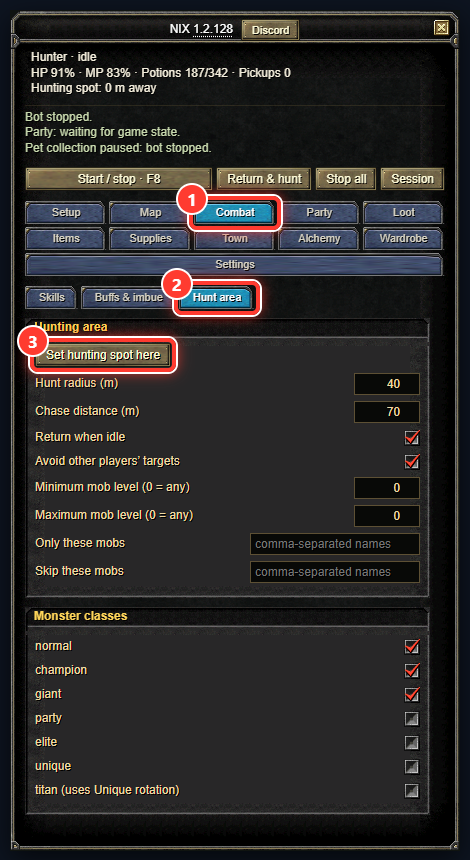
    Red ring 1 on Combat, 2 on Hunt area, 3 on Set hunting spot here.
  6. Pick your skills

    Press 1 Then click skills at 2
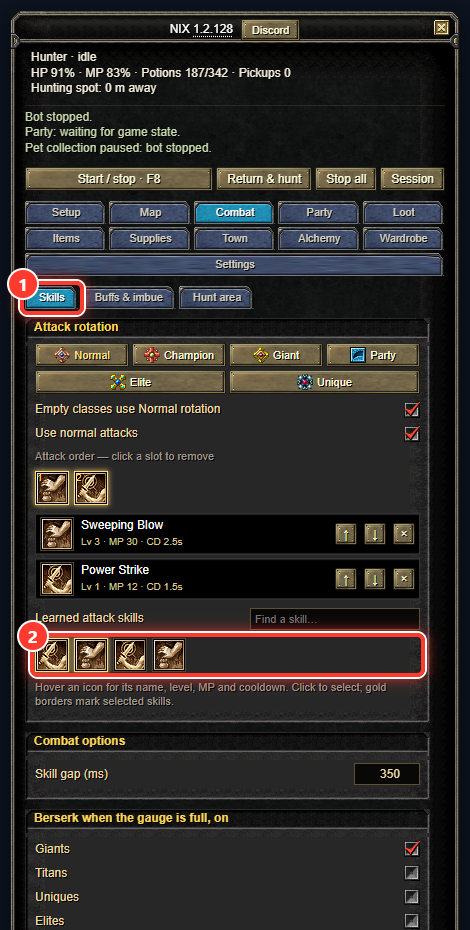
    Red ring 1 on Skills, 2 on the row of your skill icons. Click the ones to attack with.
  7. Check

    Press 1 Look at the dots.

    good okay press 2
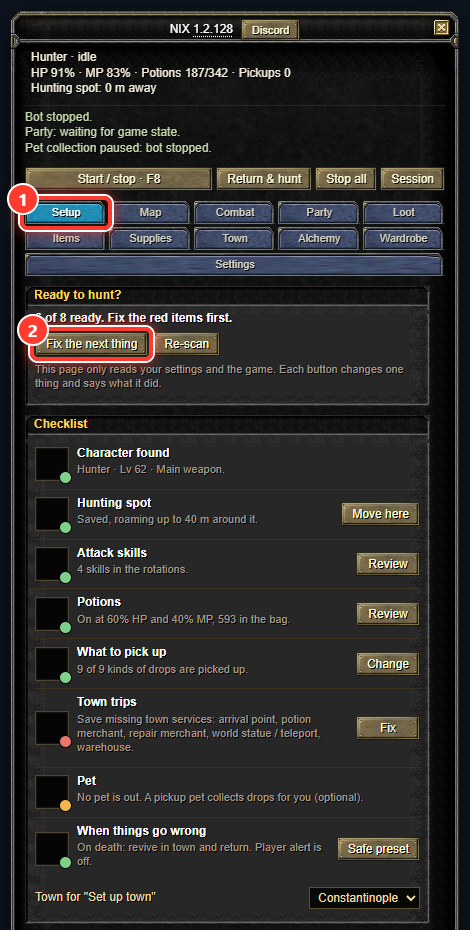
    Red ring 1 on Setup, 2 on Fix the next thing. Below, a list with a coloured dot on each line.
  8. Go!

    Press F8 to start.
    Press F8 again to stop.
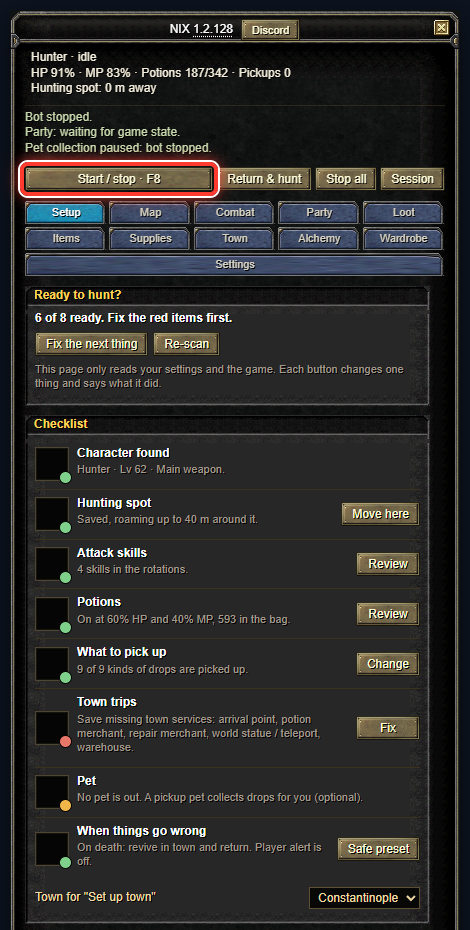
    Red ring on the Start / stop button. F8 does the same.
  9. Need help?

    Ask on Discord

Want more? Full setup guide